Your network only works
if they remember you.
Capstone remembers everyone you meet and what you talked about. It tells you who is due for a check-in and writes the message in your voice. You approve it. Then it goes out from your own email, phone or WhatsApp.
A study of 20 million LinkedIn members found that acquaintances, more than close friends, led to new jobs (Science, 2022). Capstone keeps those people warm. You approve every message, and it goes from your own email or phone.
Cancel in the first 14 days and you pay nothing. Also on Android.
Want to see it first? Watch the 2-minute demo
What is Capstone Outreach?
Capstone Outreach is a personal CRM for people whose network is their job. Scan a card, bring in your phone's contacts, or record a meeting. Each person gets one timeline with every email, text, call and meeting. You pick how often to stay in touch. When someone is due, the check-in is already written in your voice. You approve it, and it goes out from your own Gmail, Outlook, phone or WhatsApp. If you talked since, it waits. An email reply stops the follow-ups, and an out-of-office reply pauses them. Turn on Autopilot and your check-ins send on their own. It works on the web, iPhone and Android. It costs $25 a month after a 14-day free trial.
Nobody decides to lose touch
You get busy for a few months, and a warm contact goes cold. Then the hire, the gift or the deal comes up. Now you are starting over with someone who barely remembers you.
Remember
The problemSix months later you can't recall your last talk, and it shows.
With CapstoneOne timeline per person, with your meeting notes. You can even ask what you promised.
Stay in touch
The problemPeople fade between deals because no one reaches out when there's nothing to ask.
With CapstoneEach person gets a rhythm. The check-in is written when it's due. If you talked since, it waits.
Reconnect
The problemReaching out after months of quiet feels awkward, so you don't.
With CapstoneA message that picks up where you left off, in your voice, from your own email or phone.
Old contacts are worth it. In one study, executives asked people they had lost touch with for advice on a work project. That advice held up well against what their current contacts gave. Source: Levin, Walter and Murnighan, Dormant Ties: The Value of Reconnecting, Organization Science (2011).
What is a personal CRM?
A personal CRM keeps track of the people you know. It holds who they are, how you met, what you talked about and when you last spoke. It reminds you when to reach out. Capstone Outreach also writes the check-in for you. Once you approve it, it sends from your own email or phone.
Is it worth reconnecting with contacts you've lost touch with?
Research says yes. In one study, executives asked people they had lost touch with for advice on a work project. That advice held up well against what their current contacts gave. Old ties bring the trust of a past bond and a fresh view (Levin, Walter and Murnighan, Organization Science, 2011).
See it work in two minutes
A real account, start to finish. A card becomes a contact, a follow-up writes itself, and you approve what goes out.
Nobody you meet goes cold
Every card you scan and every call you take lands on that person's timeline. Each person gets a rhythm, so no one goes quiet without you noticing.
The first draft is already written
It writes from what you talked about. You edit a draft instead of a blank page.
You approve every message
Nothing sends until you say so, unless you turn on Autopilot for your check-ins. Then it goes from your own Gmail or Outlook, with your signature.
It knows when to stop
An email reply ends the follow-ups. An out-of-office reply pauses them until they are back.
Try it on your own contacts this week.
Start 14 days free, then $25/moA study of 20 million LinkedIn members found that acquaintances, more than close friends, led to new jobs (Science, 2022). Capstone keeps those people warm. You approve every message, and it goes from your own email or phone.
Cancel in the first 14 days and you pay nothing.
Read the demo transcript
This is Capstone Outreach. It makes sure every person you meet gets a real follow-up, written for them, and sent from your own inbox. Let me walk you through the web app.
The dashboard is where your day starts. How many contacts you have, what's gone out, and who's due for a follow-up today.
Every contact lives here. You can search by name, company, or tag, import a list, or pull people straight from your mailbox.
Open anyone, and you see the whole relationship. How you met, your notes, and every email, text, and meeting, on one timeline.
Now watch this. One click, and it drafts a follow-up from what you actually talked about. You read it, change whatever you like, and nothing goes out until you say so.
Met someone in person? Snap their business card. Capstone reads the name, title, email, and phone, and you check the details before you save.
Follow-ups are short sequences. Each step is timed and sent from your own address. The moment someone replies, it stops. And if they're out of office, it waits until the day they're back.
Inside a follow-up, you can see every step, and everyone in it.
Connect your calendar, and Meetings shows what's coming up and what just happened. After a call, there's a follow-up ready for each person you met.
Or, just ask. The assistant knows your contacts and your meetings. Ask who's gone quiet, and it can line up drafts for you.
Everything it writes lands here for review. You approve every message before it sends. That's the whole idea: you stay in control, and nobody falls through the cracks.
That's Capstone Outreach. Try it free for fourteen days, then it's twenty-five dollars a month. Get started at capstoneoutreach.com.
Stay in touch: the check-in is already written
🔁 Pick the rhythm
Put one contact, or every hot lead at once, on a weekly, monthly or quarterly rhythm. Tell it what to say, like "ask how the launch went."
✍️ It arrives drafted
When someone is due, the email is in your inbox, already written from your notes. Texts and WhatsApp messages wait on your phone, ready to send. If you talked since, it waits a full cycle.
🤝 You stay the sender
Nothing goes to the contact on its own unless you turn on Autopilot. The reminder comes to you with the draft. Change it, or just hit send.
See it on your phone
Ten seconds each, recorded in the app on a demo account.
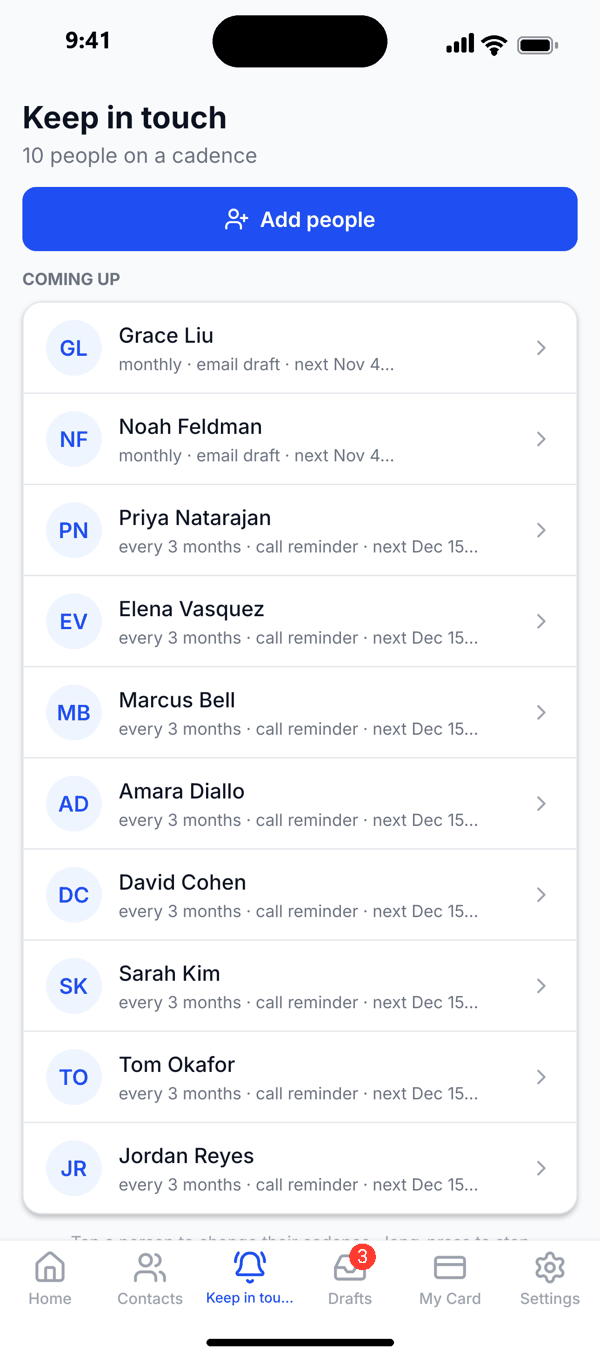
Everyone on a rhythm. Who is due, and when.
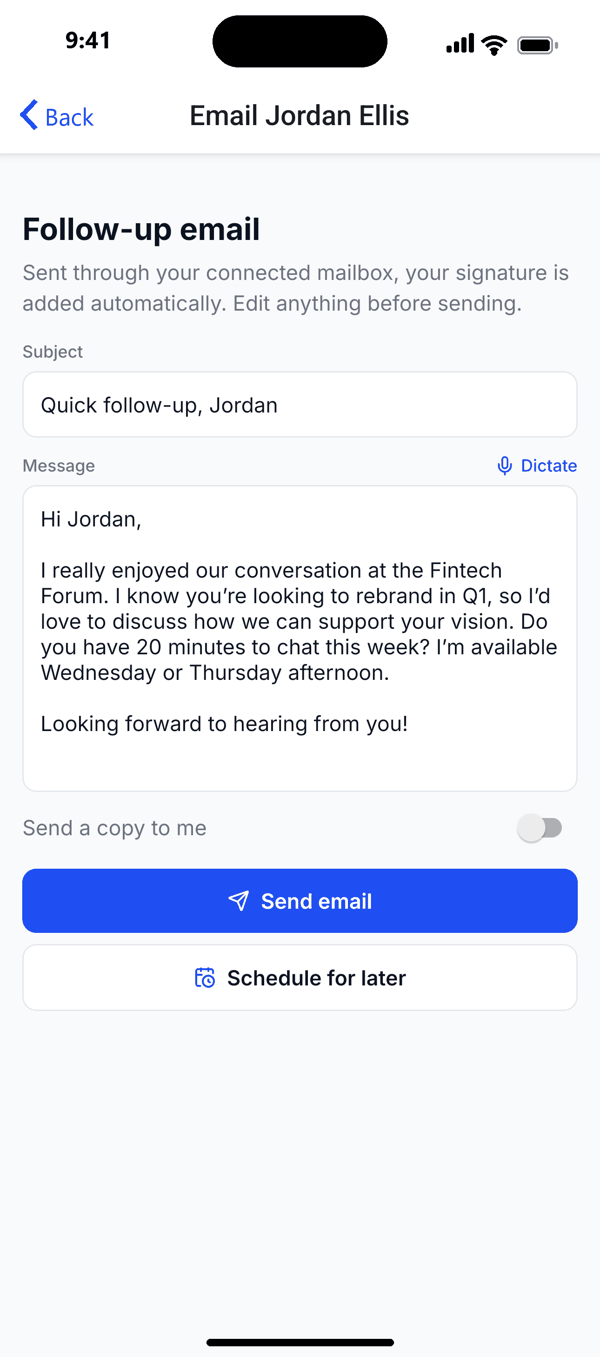
Every step written up front. You approve before anything sends.
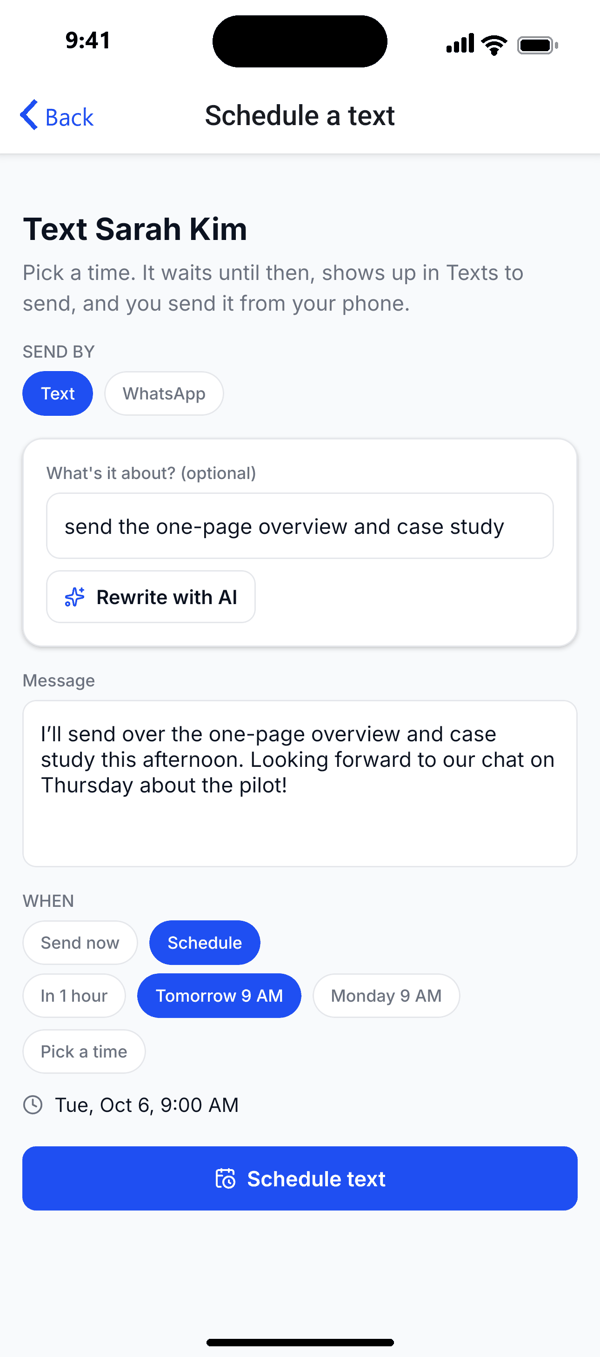
The text is written. One tap sends it from your own number.
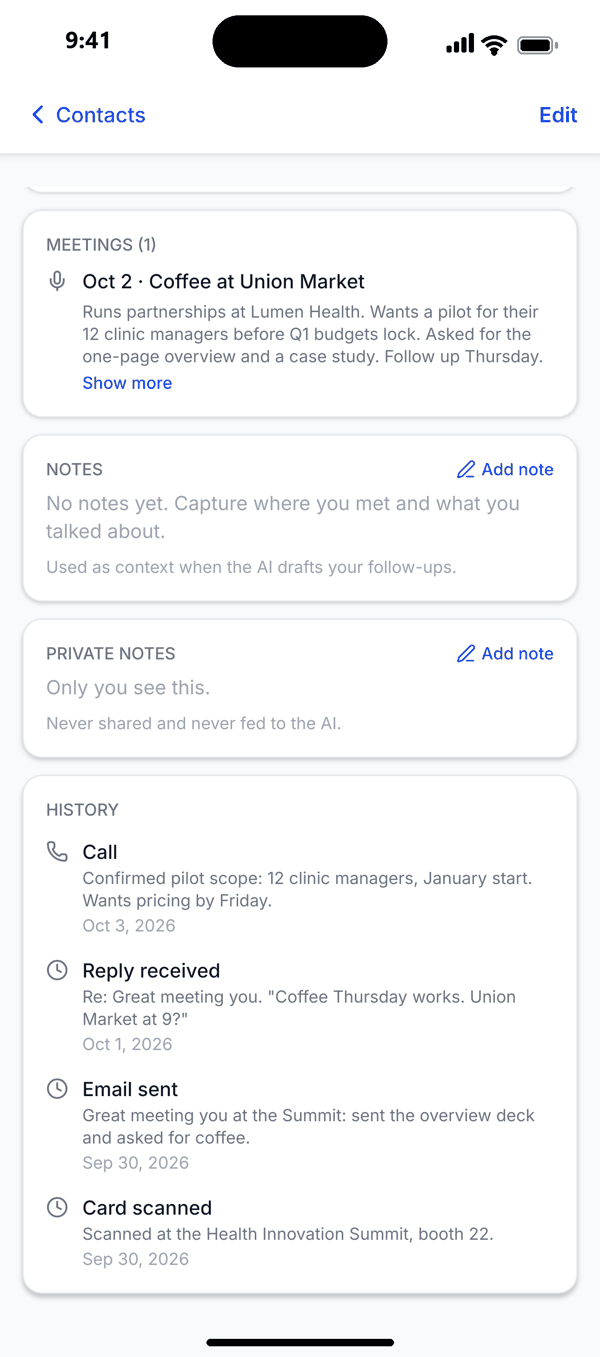
One timeline per person: rhythm, tags, notes, private notes.
It learns your voice. Autopilot only if you turn it on.
Scan a card. The contact and the follow-up are ready in seconds.
Ask what you promised. The answer cites the meeting.
New people this week, and the first email already written.
Start 14 days free, then $25/mo iPhone: 14 days free, then $24.99/mo
A study of 20 million LinkedIn members found that acquaintances, more than close friends, led to new jobs (Science, 2022). Capstone keeps those people warm. You approve every message, and it goes from your own email or phone.
Recorded in the Capstone Outreach app on a demo account. The iPhone and Android app.
Meet: capture the person and the conversation
📇 Scan anything
Business cards, QR codes, LinkedIn codes and digital cards. Each one is saved with where you met, what you talked about and how warm the lead is. Speak your notes instead of typing.
✉️ The first message is already written
It writes from your real conversation. Then it sends from your own Gmail or Outlook, with your signature. Send one email, a text, or a short series when you have an ask.
📅 Handshake to calendar
Share your booking link. It reads your real calendar, so you are never double-booked. It adds a video link to the meeting.
Relationships that survive the months in between
Most contact apps keep a list. Capstone notices what happened: when you last talked, who has gone quiet, who is away and who changed jobs.
Keep-in-touch reminders
The problemPeople fade between deals because no one reaches out when there's nothing to ask.
With CapstonePick a rhythm for one person or hundreds: weekly to every three months, by email, text, WhatsApp or a call reminder. When someone is due, the check-in is already written. If you talked since, it waits a full cycle.
One timeline per person
The problemSix months on, you can't recall your last talk, and it shows.
With CapstoneEvery email, text, call and meeting on one timeline, with tiers, tags and search. It fills itself in as you work. There is no extra CRM to update.
Going quiet
The problemYou don't notice someone went cold until you need them.
With CapstoneSee who you haven't talked to in a while, before reaching out feels awkward.
Hand-off when someone leaves
The problemPeople change jobs, and your link to their company leaves with them.
With CapstoneWhen their auto-reply says they left and names who took over, Capstone stops writing to them and adds the new person.
Out-of-office pauses
The problemMessages land in empty inboxes and get buried before people are back.
With CapstoneAn out-of-office reply pauses outreach until the day they return.
Phone and WhatsApp import
The problemYour longest relationships live in your phone and WhatsApp, outside any CRM.
With CapstoneBring in your whole address book at once, with no duplicates. Import WhatsApp chats so the history comes with each person.
Capstone doesn't want to be your AI. It gives the AI you already pay for a job.
Tell Claude, ChatGPT or OpenClaw once. Capstone records your meetings and adds each person as a contact. It writes the follow-up in your voice and hands it to you. It suggests. You approve. Note apps remember. Capstone follows up from your inbox until they reply.
🎙️ Meetings record themselves
Say "record my outside meetings." The notetaker joins your Zoom, Meet, Teams and Webex calls and skips internal ones. When the call ends, a draft for each person is waiting.
🧠 Ask what you promised
Ask "What did I tell Dana about pricing?" Each meeting is summed up on the contact's record. Your agent answers from what was said, not from memory.
✅ Proposes, you approve
Agents write and revise. You approve, unless you give an agent that permission. Approved messages go out from your own Gmail or Outlook.
Integrates with Google Calendar, Outlook, Calendly, Zoom, Gmail, and the texts on your phone. The AI-agent follow-up playbook → · See every integration → · Connect Claude →
Now on iPhone and Android
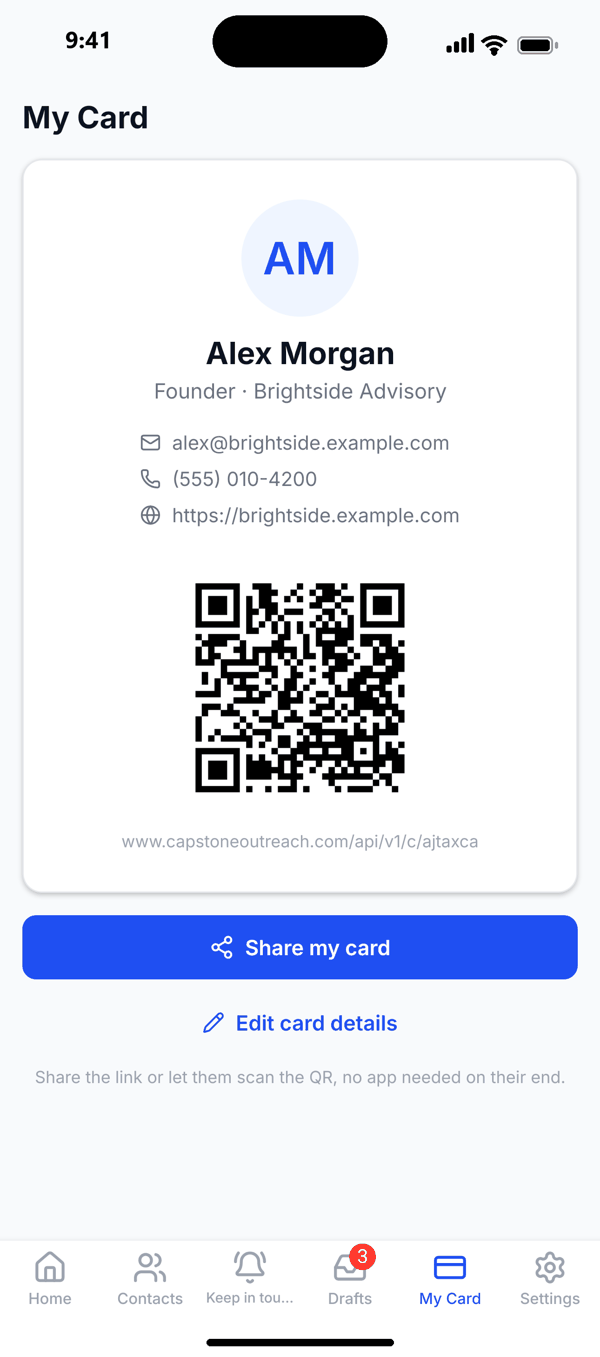
The Capstone Outreach app is on the App Store and Google Play. Scan cards, share yours with a tap, keep in touch on a rhythm, and approve follow-ups from your pocket. One account works on the web and your phone. iPhone: 14 days free, then $24.99/mo → · Android app →
Watch it work
Real product, real speed, no staged screens.
Card → contact in seconds
AI drafts the follow-up from your notes
Multi-step sequences, scheduled
Texts when email isn't the move
Free tools, no account needed
Try the pieces before the whole machine.
Built for people whose network is their job
Fundraisers, recruiters, partnership and business development leads, advisors, consultants, and founders raising money. Anyone whose deal, hire or gift comes months after the first meeting. New to the idea? What a personal CRM is →
Guides & templates
What to say and when, from the first follow-up to the check-in a year later. Free, no signup.
Keeping relationships warm
By channel
By profession
Keep every relationship warm, starting with the people you met this year
A study of 20 million LinkedIn members found that acquaintances, more than close friends, led to new jobs (Science, 2022). Capstone keeps those people warm. You approve every message, and it goes from your own email or phone.
One account works on the web, iPhone and Android.